
CROSS Pro2.04 - Get APK
You'll be able to download in few seconds.
Publisher Description

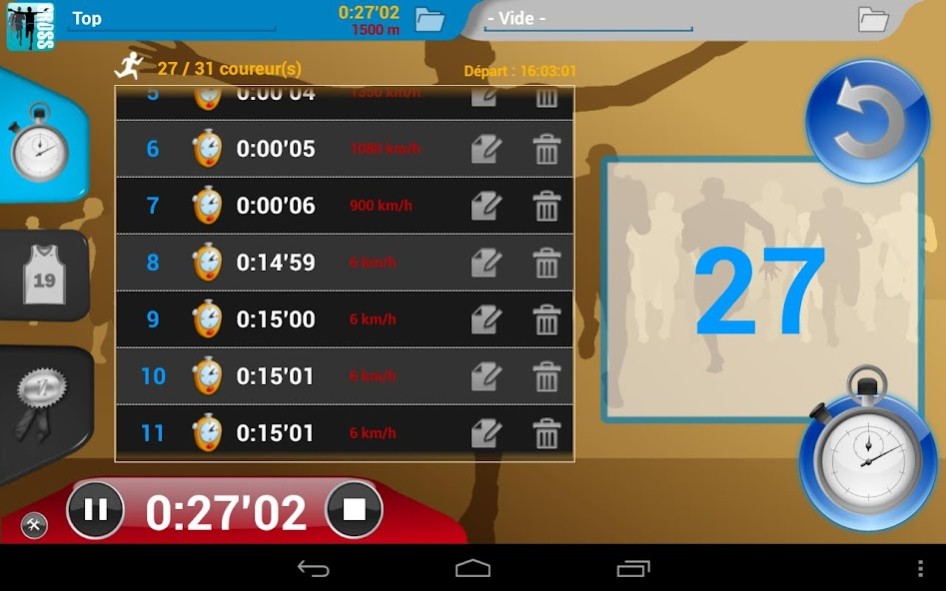
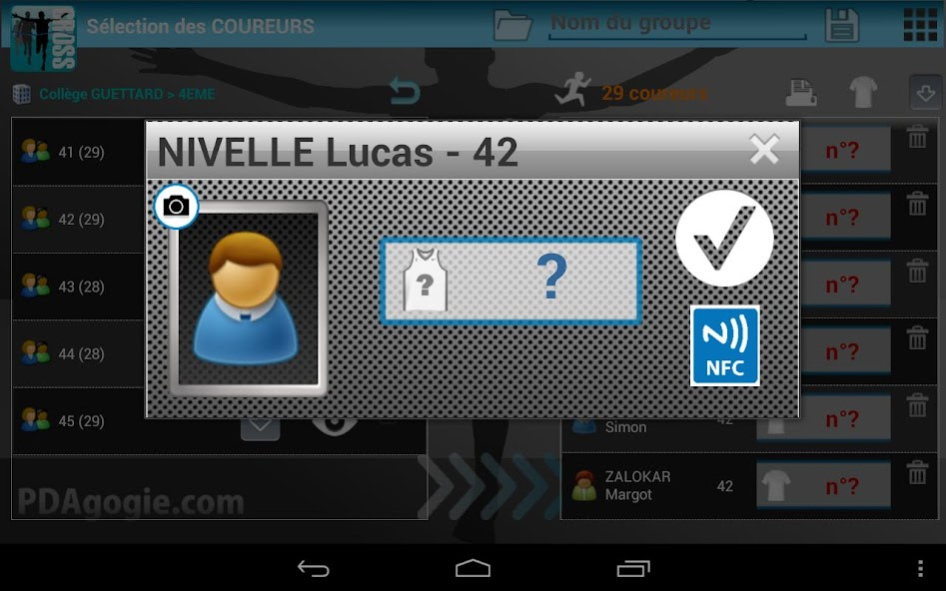

Make your your CROSS management and opt for a 100% mobile solution!
*** Optimized for TABLETS of 7 to 10 inches ***
No need for a PC, one tablet is enough to manage all your errands: import, dossardage, timing, sorting runners in real time (by category, gender, age, class but also for school), speed management (for comparison with a VMA), everything is managed!
essential functions:
* Printing of numbers: file directly recoverable Online (PRO-EPS.FR) with management of QR-CODES.
The tablet serves as a barcode reader.
* Simultaneous management of two parallel races (allows to start the same race if there are runners in the previous race ...)
* Management barcodes (QR-CODES) or numbers bibs (automatically generated).
NEW: Scan the QR-CODE directly from the continuous mode application.
* Getting direct line results from the tablet CROSS! Riders can check their ranking immediately after the race. (Web addresses with customizable login and password)
* Manage photos of riders from the tablet.
* NFC bracelets Management!
Since the tablet if equipped or (NEW) in communication with NFC Smartphones !!!
* SERVER mode: this application allows to manage other devices seizures arrivals (smartphone or tablet).
ScanCROSS communicates with the app: NFC management deported if your tablet is not NFC.
* Integrated Speech to announce the squares and arrivals (bluetooth speaker connected)
* Detection levels for schools as 1st degree (CP, CE1, etc.)
Annual subscription to dispose of your databases.
PDAgogie.com
About CROSS Pro
The company that develops CROSS Pro is pdagogie.com. The latest version released by its developer is 2.04.
To install CROSS Pro on your Android device, just click the green Continue To App button above to start the installation process. The app is listed on our website since 2016-10-17 and was downloaded 0 times. We have already checked if the download link is safe, however for your own protection we recommend that you scan the downloaded app with your antivirus. Your antivirus may detect the CROSS Pro as malware as malware if the download link to com.pdagogie.cross7 is broken.
How to install CROSS Pro on your Android device:
- Click on the Continue To App button on our website. This will redirect you to Google Play.
- Once the CROSS Pro is shown in the Google Play listing of your Android device, you can start its download and installation. Tap on the Install button located below the search bar and to the right of the app icon.
- A pop-up window with the permissions required by CROSS Pro will be shown. Click on Accept to continue the process.
- CROSS Pro will be downloaded onto your device, displaying a progress. Once the download completes, the installation will start and you'll get a notification after the installation is finished.
Program Details
System requirements
Download information
Pricing
Version History
version 2.04
posted on 2016-10-17
- Dupliquer un cross entre tablettes
- Nouvelle gestion NFC !!! Vous pouvez gérer votre cross avec des bracelets NFC : plus besoin de dossard !
(voir vidéo sur site)
- Une tablette non équipée du NFC peut gérer un cross
avec l'application ScanCROSS et des smartphones NFC !
- Scan des QRCODE directement depuis l'application en mode continu !
- Synthèse vocale intégrée (annonce des arrivées)
- Nouvel import des élèves 30% plus rapide !
- Compatibilité avec Androïd 6.0
Disclaimer
External Download
We do not host CROSS Pro on our servers. We did not scan it for viruses, adware, spyware or other type of malware. This app is hosted by Galad and passed their terms and conditions to be listed there. We recommend caution when installing it.
The APK Download link for CROSS Pro is provided to you by apps112.com without any warranties, representations or guarantees of any kind, so access it at your own risk.
If you have questions regarding this particular app contact the publisher directly. For questions about the functionalities of apps112.com contact us.
